AI Integration In Custom Software Development
A few months ago, a 5-person startup team asked me why their “AI features” kept breaking every sprint.
They had a chatbot, a recommendation engine, and two half-finished automations.
Nothing was stable.
Every deployment felt risky.
The problem wasn’t the models.
It was how they integrated AI into the product.
I’ve seen this same mess in three different startups now.

Why this problem actually happens
AI integration sounds simple on paper.
“Call an API, send some data, get a smart output.”
In small teams, that turns into:
- One dev hacking prompts directly inside controllers
- Another adding background jobs without monitoring
- Someone else storing embeddings in whatever DB already exists
No clear structure. Just patches.
The real reasons are boring and very human:
1. Pressure to ship something “AI-powered” fast
In early-stage startups, there’s constant pressure to show “AI” in demos or investor updates, so teams rush integrations without proper design. Features get hacked together just to prove it works. Later, those shortcuts turn into fragile systems that break under real usage.
2. No one owns the AI layer
AI often ends up as everyone’s side task instead of someone’s responsibility, which is why AI & ML Services work stays more stable when ownership, review, and model-related decisions are handled clearly instead of being spread randomly across the team.
Different developers tweak prompts, models, and logic without coordination.
Over time, behavior becomes inconsistent and debugging turns into guesswork because there’s no clear ownership.
3. Hidden operational complexity
AI isn’t just an API call — it comes with retries, rate limits, latency spikes, and unpredictable costs. These issues don’t show up in local testing but hurt badly in production. Small teams usually underestimate this until outages or bills force attention.
4. AI behaves differently than normal code
Traditional code is predictable: same input, same output. AI isn’t — results can vary, fail silently, or degrade with small changes. If you design it like normal backend logic, your system feels unreliable and hard to trust.
AI is probabilistic.
Small teams design it like regular backend code. That’s where things break.

Where most developers or teams get this wrong
I’ve made these mistakes myself.
And I keep seeing the same patterns.
Mistake 1 — Calling AI directly from business logic
Many teams call the AI provider straight from controllers or core functions because it feels faster to implement, but Custom Software Development becomes much easier to maintain when external intelligence is isolated instead of being tightly mixed into core product logic.
This tightly couples your app to an external service and makes testing, retries, and provider changes painful.
One small failure can suddenly break the entire request flow.
Example I’ve seen:
const result = await openai.chat.completions.create(...)
Right inside a controller.
Now:
- tests are hard
- failures crash requests
- swapping providers is painful
You’ve coupled your core app to an external AI service.
Mistake 2 — Treating prompts like strings, not logic
Prompts often get scattered across the codebase as random text blocks or quick copy-pastes. Over time, no one remembers which version does what, and behavior becomes inconsistent. Prompts influence business outcomes, so they should be treated like real logic with versioning and reviews.
Team copy-paste prompts everywhere.
Six months later:
- different behavior per endpoint
- nobody knows which prompt is “correct”
Prompts are logical.
They need versioning and ownership.
Mistake 3 — Ignoring cost early
AI calls feel cheap at first, so teams don’t monitor usage or token counts. But repeated requests, long inputs, and no caching quietly multiply costs in production. By the time someone checks the bill, it’s already too late and budgets are blown.
I’ve seen bills jump 5–10x overnight.
Because:
- no caching
- repeated calls
- long contexts
In small startups, surprise costs hurt more than bugs.
Mistake 4 — Overbuilding too soon
Teams jump into complex setups — vector databases, agents, fine-tuning — before validating the actual need. This adds infrastructure and maintenance overhead that small teams struggle to manage. Most early problems can be solved with simpler solutions, without heavy architecture.
Vector DB. Fine-tuning. Agents. Tools. Pipelines.
All before validating whether users even need AI.
I’ve watched teams spend weeks on infrastructure for a feature that 10% of users touched.
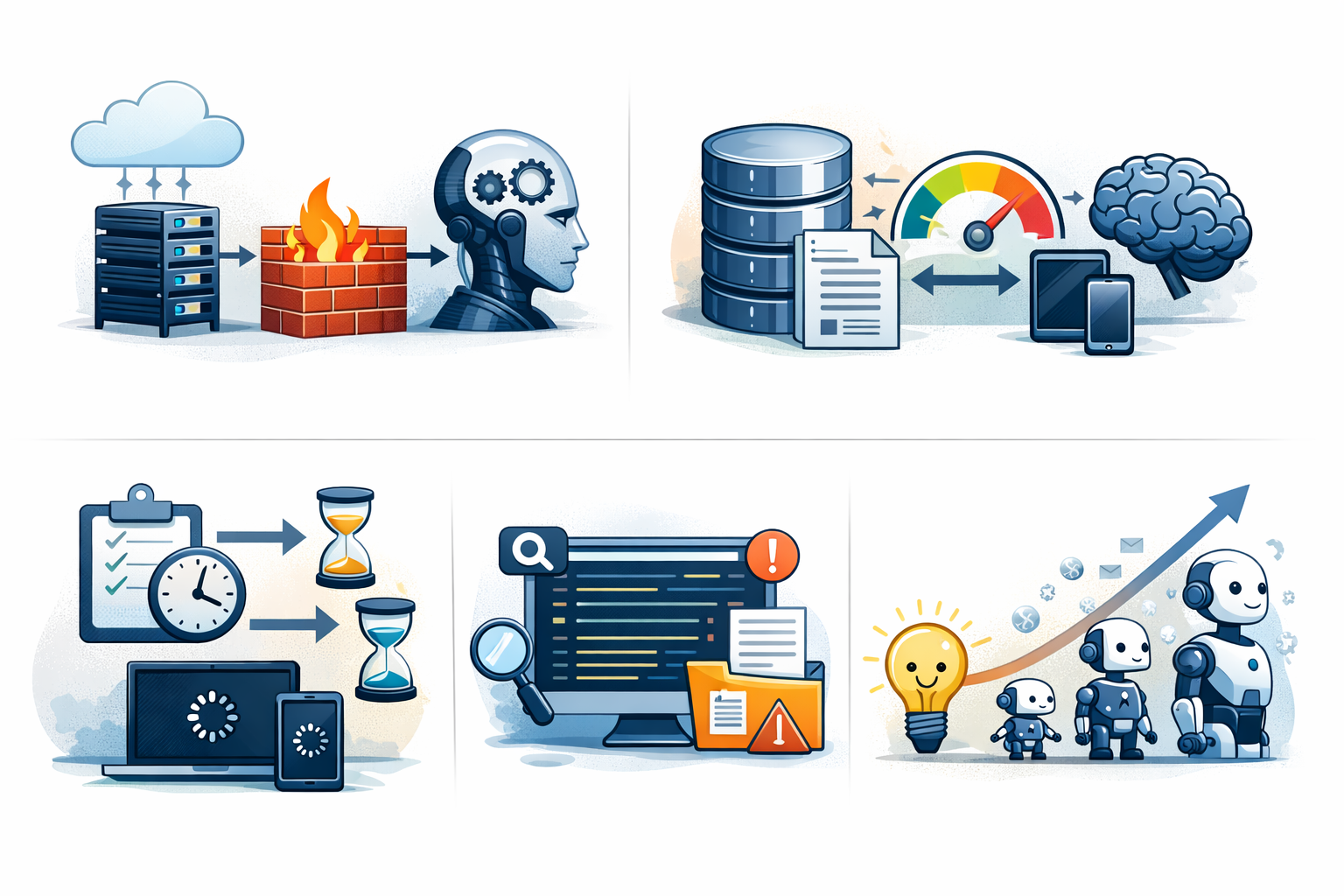
Practical solutions that work in real projects
Here’s what has consistently worked for small teams I’ve been part of.
Nothing fancy. Just a boring structure.
1. Isolate AI behind a service layer
Never scatter AI calls across controllers or business logic. Wrap everything inside a single service so the rest of your app talks to one clean interface. This makes testing easier, reduces coupling, and lets you swap providers without rewriting half the codebase.
Never call AI from controllers or business logic.
Create one boundary.
Example:
/services/ai/
- summarizer.js
- classifier.js
- embeddings.js
App code calls:
aiService.summarize(text)
Not the vendor directly.
Pros
- Easy to mock in tests
- Easy to swap providers
- Centralized error handling
Cons
- Slight upfront structure work
Worth it every time.
2. Add caching aggressively
Most AI requests repeat more than you think — same text, same summaries, same classifications. Without caching, you’re just paying for identical results again and again. A simple cache can cut costs and latency almost immediately.
Most AI calls repeat.
Cache:
- summaries
- embeddings
- classifications
Even 10–30 minute caching cuts cost and latency massively.
Simple Redis cache is enough.
No need for complex infra.
3. Make AI async by default
AI responses can take seconds and sometimes fail or retry, which is why Full Stack Development works better when slow external intelligence is pushed into background flows instead of blocking the main user request.
Blocking user requests while waiting makes the whole app feel slow and unreliable.
Running AI tasks in the background keeps the UI fast and protects the main flow from delays.
Don’t block user requests.
Instead of:
- user waits 8 seconds
Do:
- enqueue job
- notify when ready
AI latency is unpredictable.
Sync flows make your whole app feel slow.
4. Log everything
If you don’t log usage, you won’t understand why things are slow or expensive, and Cloud Services planning becomes much more effective when token usage, latency, failures, and cost patterns are visible early.
Track inputs, response times, token usage, and failures so problems are visible early.
Good logs turn random AI issues into clear, fixable bugs.
Log:
- input size
- token usage
- cost estimate
- response time
- failures
First time I added this, we found:
- 40% calls were duplicates
- 20% were unnecessary
Logging paid for itself in a week.
5. Start dumb, then improve
You don’t need embeddings, agents, or complex pipelines on day one. Simple rules or basic prompts often solve the first version of the problem. This is how intelligent custom software solutions are usually built well — by starting small, proving value, and adding complexity only when it’s truly necessary.
Before embeddings or fancy agents:
Try:
- simple rules
- keyword matching
- small prompts
Half the time, you don’t need complex AI at all.
Small teams win by reducing complexity, not adding it.

When this approach does NOT work
Being honest — this lightweight approach isn’t for everyone.
It breaks down when:
- you’re training custom models
- you need real-time inference at massive scale
- you have dedicated ML engineers
- AI is the core product itself
At that point, you need proper ML infra.
Pipelines, monitoring, feature stores, etc.
But most startups aren’t there.
They just need one or two smart features.
Don’t design like you’re building OpenAI.

Best practices for small development teams
These habits keep AI integrations from turning into tech debt.
Keep ownership clear
If everyone touches the AI layer, no one really maintains it. Bugs linger because people assume someone else will fix them. Assign one clear owner so decisions, fixes, and improvements actually move forward instead of getting lost.
Treat prompts like code
Prompts directly affect output quality, so they shouldn’t live as random strings in the codebase, which is why Software Testing and review discipline become important when prompt changes can alter real product behavior.
Store them properly, version them, and review changes like you would any business logic.
Small tweaks can change behavior a lot, so they need discipline.
Measure cost weekly
AI costs can quietly grow without anyone noticing until the bill becomes a problem. Checking usage weekly helps you spot spikes, duplicate calls, or waste early. It’s much easier to adjust small leaks than fix a big surprise later.
Prefer fewer use cases
Adding AI everywhere sounds exciting but creates maintenance overhead fast. Each new feature adds complexity, monitoring, and cost. It’s better to make one or two use cases solid and reliable instead of spreading the team thin.
Fail gracefully
AI services will time out, rate limit, or return weird results sometimes. Your app shouldn’t crash or block users when that happens. Always have fallbacks or defaults so the product still works even if the AI part fails.
Users shouldn’t notice.
Timebox experiments
AI experiments can easily drag on because results are uncertain. Without limits, teams waste weeks chasing “almost working” ideas. Set a clear timebox, test quickly, and either ship or drop it to protect your time and focus.
Small teams don’t have luxury R&D time.
Conclusion:
AI integration doesn’t usually fail because the models are bad.
It fails because small teams bolt it onto the app without boundaries.
In every startup I’ve worked with, the fix wasn’t “better AI.”
It was:
- isolate it
- simplify it
- treat it like an external dependency
The less magical you treat AI, the more reliable it becomes.
Boring architecture beats clever demos.
Every time.
FAQs
Yes, but only for 1–2 focused problems. Adding it everywhere usually slows teams down.
Because latency, rate limits, and probabilistic outputs aren’t handled like normal backend logic.
Usually no. Start simple; most early use cases don’t need one.
Add caching and remove duplicate calls — that alone often cuts 30–50%.
You can, but it becomes painful fast. Wrap everything behind a service layer instead.
References
Written by

Paras Dabhi
VerifiedFull-Stack Developer (Python/Django, React, Node.js)
I build scalable web apps and SaaS products with Django REST, React/Next.js, and Node.js — clean architecture, performance, and production-ready delivery.
LinkedIn