App Development in India: How Much Does It Cost to Build an App in 2026?
15 January 2026
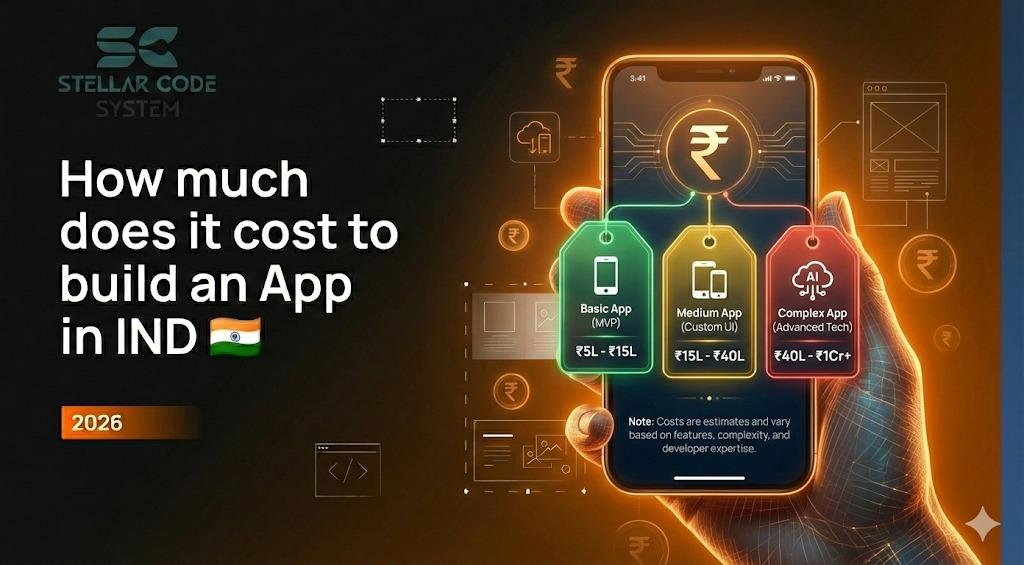
If you’ve searched “How much does it cost to build an app in India?” you’ve probably seen everything from ₹40,000 to ₹20 lakhs.
As someone who’s worked closely with Indian startups, local businesses, and funded founders on app projects, I can tell you this clearly:
There is no universal price for an app.
There is only the cost of your app idea, built your way, for your business goals.
And most people get misled because they ask the wrong question.
The real question is not:
“How much does an app cost?”
It’s:
“What kind of product am I building, how serious is it, and what business result do I expect from it?”
This guide is written to help you answer that properly.
You’ll learn:
• Realistic app development costs in India (2026 reality)
• What actually drives the budget up or down
• Common mistakes that silently double app costs
• Step-by-step planning before you talk to developers
• How experienced buyers reduce waste without killing quality
• Real examples from Indian businesses
• Hidden expenses most agencies won’t mention
• How to judge whether a quote is fair or dangerous
This is not a “cheap app” article.
This is a decision guide for people who want an app that works.
1. Why App Development Prices in India Are All Over the Place
App development is not a product. It’s closer to building a house.
Apps work the same way. Two apps can look similar on the surface and still cost very differently because of:
This refers to the backend work that users never see—databases, servers, admin panels, APIs, and system logic.
The more automation, data handling, and integrations your app needs, the more development time and cost it requires.
Every new user role (customer, admin, vendor, delivery agent, etc.) adds separate screens, permissions, and workflows.
More user types mean more complexity, more testing, and higher development effort.
Apps that handle payments, personal data, or high traffic need stronger security, encryption, and future-ready architecture.
Building for safety and growth from day one increases cost but prevents expensive rebuilds later.
If your app is mission-critical, downtime, bugs, or data loss can directly hurt revenue and reputation.
Businesses that cannot afford failure must invest more in testing, stability, and quality assurance.
- Backend work
- Testing time
- Long-term maintenance
- Product planning effort
Which is why many ₹80,000 apps quietly become ₹3 lakh projects.
2. Realistic App Development Cost Ranges in India (2026)
Below is a practical market snapshot based on Indian development teams, startup projects, and SME apps.
These are not freelancer guesses — these are ranges where serious business apps usually land.
- Local businesses, internal tools, simple brand apps
4–6 screens
The application will consist of a small number of core screens such as Home, About, Services, and Contact. This keeps development simple, faster, and more cost-effective while covering essential business needs.
Static or semi-dynamic content
Most content is fixed (like text and images) or changes occasionally through a basic system. This reduces backend complexity and is ideal for informational or showcase-style applications.
Contact forms
Simple forms allow users to submit inquiries, feedback, or requests. Submissions are stored in a database or sent to email for easy follow-up by the business team.
Admin panel (basic)
A simple admin dashboard to manage content, view form submissions, and update basic information. It does not include advanced roles, analytics, or complex workflows.
No heavy logic
The app does not involve complex calculations, real-time systems, or automation. Core functionality remains straightforward, making it easier to build, test, and maintain.
- Restaurant menu app
- Clinic appointment enquiry app
- Simple product catalogue
- Society information app
These apps are informational tools, not products.
They don’t scale. They support business operations.
- Gyms, coaching centres, service platforms, small startups
User login
Users can create accounts and securely log in to access personalized features. This enables profile management, saved data, and controlled access to specific parts of the application.
Database-driven content
All main content is stored and managed through a database instead of being hard-coded. This allows real-time updates, dynamic pages, and easier long-term content management.
Dashboards
Dashboards present important information in a visual and organized way, such as user activity, statistics, or business metrics. They help users or admins quickly understand data and take action.
Notifications
The system can send alerts through email, in-app messages, or push notifications. These keep users informed about updates, actions, or important events.
Moderate backend
The backend includes structured APIs, authentication, and business logic handling. It is more complex than a basic system but not enterprise-level, balancing performance, security, and scalability.
Role-based access
Different users are given specific roles such as admin, staff, or customer, each with defined permissions. This ensures people only see and manage what they are authorized to, improving security and workflow control.
- Gym member app
- Coaching app with videos
- Distributor ordering system
- Booking-based service app
From projects I’ve seen, this is the most common serious-business range in India.
This is where apps start producing ROI.
- Funded startups, ecommerce, logistics, marketplaces
Payment systems
The application supports online payments through gateways like UPI, cards, or wallets. It handles transactions, payment confirmation, and basic invoicing securely.
APIs & integrations
The system connects with third-party tools such as payment gateways, CRMs, maps, or email services. This allows data sharing, automation, and extended functionality.
Location tracking
The app can capture and display real-time or live user/device locations. Common use cases include delivery tracking, service coverage, and route monitoring.
Vendor panels
A dedicated dashboard for vendors to manage their products, services, orders, or profiles. This allows multiple sellers or partners to operate within one platform.
Custom backend logic
The backend includes tailored business rules, workflows, and automation. It goes beyond standard features to support unique operational requirements.
Security layers
Multiple security measures such as encryption, secure authentication, and access controls are implemented. This protects user data, payments, and system integrity.
Scalable architecture
The system is designed to handle increasing users, data, and traffic smoothly. It allows easy expansion without major changes to the core infrastructure.
- Ecommerce platforms
- Delivery systems
- Fintech tools
- Health-tech platforms
- Aggregator apps
This is where engineering replaces “development.”
Most apps that fail financially are built cheaply in this category.
- High-traffic apps, funded products, long-term platforms
Multi-role systems
The platform supports multiple user types such as super admin, admin, vendors, staff, and customers. Each role has customized permissions, dashboards, and workflows.
Heavy backend logic
The system handles complex operations like advanced calculations, real-time processing, and multi-step workflows. This requires robust architecture, optimized databases, and extensive testing.
Performance optimisation
The application is tuned for fast load times and smooth operation under high traffic. Techniques include caching, query optimization, and efficient API design.
Compliance
The software follows industry and legal standards such as data protection, payment security, and regulatory guidelines. This reduces legal risk and builds user trust.
Automation
Manual processes are replaced with automated workflows like billing, reporting, notifications, and system actions. This improves efficiency, accuracy, and scalability.
Analytics pipelines
Data is continuously collected, processed, and transformed for reporting and insights. This enables real-time dashboards, trend analysis, and business intelligence.
Cloud architecture
The system is built on cloud infrastructure for high availability and flexibility. It supports auto-scaling, backups, and distributed services for enterprise-level reliability.
- Food delivery platforms
- Ed-tech ecosystems
- SaaS products
- Healthcare systems
- Large booking networks
These are not apps.
These are digital businesses.
3. What Actually Controls Your App’s Cost (More Than Screenshots Ever Will)
Most budgets explode because of “small features”:
Each of these quietly means:
- Backend logic
- Database planning
- Security
- Testing
- Error handling
OTP login
Users can log in using a one-time password sent to their phone or email. This removes the need for remembering passwords while improving security and login convenience.
Multi-language
The application supports multiple languages so users can access content in their preferred language. This helps businesses reach wider and more diverse audiences.
Admin approvals
Certain actions such as user registration, listings, or content publishing require admin verification. This ensures quality control, trust, and platform safety.
Referral systems
Users can invite others using referral codes or links and earn rewards or benefits. This encourages organic growth and user acquisition.
In-app chat
Built-in messaging allows users to communicate directly within the application. It supports real-time conversations, support chats, or buyer–seller interactions.
Subscriptions
The platform offers recurring payment plans such as monthly or yearly packages. This enables premium features, automated billing, and predictable revenue.
Apps don’t get expensive from ideas. They get expensive from workflows.
A beautiful app with a weak backend is useless.
Real backend work includes:
Server architecture
Defines how servers, databases, and services are structured and connected. A well-planned architecture ensures reliability, performance, and easy future expansion.
User permission systems
Controls what each user role can view, edit, or manage inside the application. This improves security, accountability, and smooth operational workflows.
Admin dashboards
Centralized panels that give administrators control over users, content, and system activity. They present key metrics and tools for monitoring and decision-making.
Data security
Protects sensitive information using encryption, secure storage, and access controls. This reduces the risk of data breaches and builds customer trust.
API development
Creates secure and scalable interfaces that allow the app to communicate with mobile apps, websites, and third-party services. APIs form the backbone of modern digital platforms.
Cloud optimisation
Improves performance and cost efficiency of cloud resources. It includes auto-scaling, load balancing, and monitoring to ensure smooth operation under varying traffic.
In many Indian projects, 45–60% of total cost sits in backend alone.This is where cheap agencies cut corners — and where most apps later break.
Android only → cheapest
Developing only for Android reduces overall cost and development time. It’s ideal for startups or MVPs targeting the largest mobile user base at the lowest budget.
Android + iOS native → highest
Building separate native apps for both platforms offers the best performance and full feature access. However, it requires two codebases, larger teams, and higher development and maintenance costs.
Flutter / React Native → best balance
Cross-platform frameworks allow one codebase for both Android and iOS. This provides a strong balance between cost, speed, and performance, making it a popular business choice.
In 2026, cross-platform development is mature and widely used.Most early-stage products should not build two separate native apps unless performance is business-critical.
There is a big difference between:
“make it look clean”
and
“design a product people don’t uninstall.”
Good UI/UX involves:
User behaviour mapping
Tracks how users move through the app, which screens they visit, and where they interact. This helps identify usage patterns, pain points, and improvement opportunities.
Screen logic
Defines how each screen behaves based on user actions, data, and system rules. It ensures smooth navigation, correct data flow, and consistent user experience.
Drop-off prevention
Focuses on reducing points where users abandon the app or process. This includes simplifying flows, improving speed, and removing unnecessary friction.
Accessibility
Ensures the app is usable by people with disabilities, including support for screen readers, contrast standards, and easy navigation. This improves inclusivity and often compliance.
Conversion optimisation
Improves design and functionality to turn visitors into active users or paying customers. It involves testing layouts, CTAs, and flows to increase engagement and results.
This work doesn’t show in screenshots. But it saves marketing money later.
The most expensive sentence in app development is:
“We’ll decide that later.”
Unclear scope causes:
Rework
Extra work required to fix errors or redo features due to unclear requirements or poor planning. Rework increases development time and costs.
Delays
Project milestones take longer than expected because of resource issues, technical challenges, or miscommunication. Delays can affect launch schedules and business goals.
Budget creep
Costs gradually exceed the original estimates due to scope changes, inefficiencies, or unexpected requirements. Budget creep can strain finances and reduce ROI.
Architecture mistakes
Poorly planned system structure leads to performance issues, maintenance challenges, or scalability problems. Early mistakes in architecture are often costly to fix later.
Clear planning can reduce cost by 20–30% without cutting quality.
4. Buyer Problems I See Again and Again (And How Smart Clients Avoid Them)
Solution :
Demand a feature-based scope document, not a screen count.
If it doesn’t mention:
User roles
Defines different types of users and what they can access or do within the system. Proper role management ensures security and smooth workflows.
Admin powers
Administrators have elevated permissions to manage users, content, settings, and system operations. This helps maintain control and enforce policies.
Integrations
Connects the application with external services like payment gateways, CRMs, or analytics tools. Integrations extend functionality and automate workflows.
Data logic
Rules and processes that determine how data is handled, validated, and displayed. Strong data logic ensures accuracy, consistency, and reliable system behavior.
Your price will rise later.
Cause:
No UX research, only development.
Solution:
Wireframes
Basic visual layouts that show the structure of screens and placement of elements. They help plan the app without focusing on design details.
User flows
Diagrams that map the steps a user takes to complete tasks in the app. They ensure smooth navigation and reduce friction in the user journey.
Clickable prototypes
Interactive mockups that simulate real app functionality. They allow testing of design, navigation, and usability before full development begins.
Do this before coding starts.
Cause
MVP built like a final product.
Solution:
Architecture
The overall design and structure of the system, including servers, databases, and services. Good architecture ensures reliability, performance, and scalability.
Hosting strategy
The plan for where and how the application will run, such as cloud, dedicated servers, or hybrid setups. It impacts performance, uptime, and cost efficiency.
Future upgrade path
A roadmap for scaling, adding features, or migrating technologies over time. Planning ahead prevents major rework and ensures the app can grow with business needs.
Ask this before you sign.
This is extremely common.
Many apps built quickly for ₹1.5L often end up needing ₹4L rewrites later. Wise founders invest in solid initial design to scale smoothly and avoid costly rework.
Smart founders design once and grow gradually.
5. Step-by-Step: How to Plan Your App Budget the Right Way
Not features. Outcomes.
Examples:
- Reduce staff workload
- Enable online payments
- Automate bookings
- Build a customer base
This shapes everything.
A user should be able to create an account, browse products, and make a purchase so that they can quickly get value from the app without confusion.
Anything not directly serving these core actions—like advanced filters, loyalty programs, or social sharing—falls into phase two.
This approach keeps the initial release simple, focused, and fast to market, while still allowing room for gradual improvements later.
Example:
- Customer
- Admin
- Vendor
- Delivery agent
Each role multiplies complexity.
Ask:
“What must exist for this app to start working in the real world?”
The app must have core user functionality, login, and a working backend to operate. All additional features can be added later.
Not to impress investors.
Work.
Plan for:
Maintenance
Regular checks and fixes to keep the app running smoothly and bug-free.
Hosting
Reliable servers or cloud setup to ensure the app stays online and performs well.
Updates
Periodic feature improvements, security patches, and performance enhancements.
Marketing
Activities to promote the app, attract users, and drive engagement.
Support tools
Systems like chat, helpdesk, or FAQs to assist users and resolve issues quickly.
An app without a growth budget is a brochure.
6. Case Snapshots from Indian Projects
- Reduce WhatsApp chaos and manual follow-ups.
- Student login
- Video library
- Attendance
- Admin uploads
- 40% drop in support calls
- Higher course completion
- App paid itself off in 6 months
- Test demand before funding.
- User ordering
- Vendor panel
- Delivery dashboard
- Payment gateway
- Advanced analytics
- Loyalty systems
- Secured seed funding
- Rebuilt on same base
- Zero wasted development
- Centralise operations across 18 outlets.
- Inventory sync
- POS integration
- CRM
- Analytics dashboards
- Reduced stock loss
- Improved repeat orders
- Operations became measurable
7. The Costs Nobody Tells You About
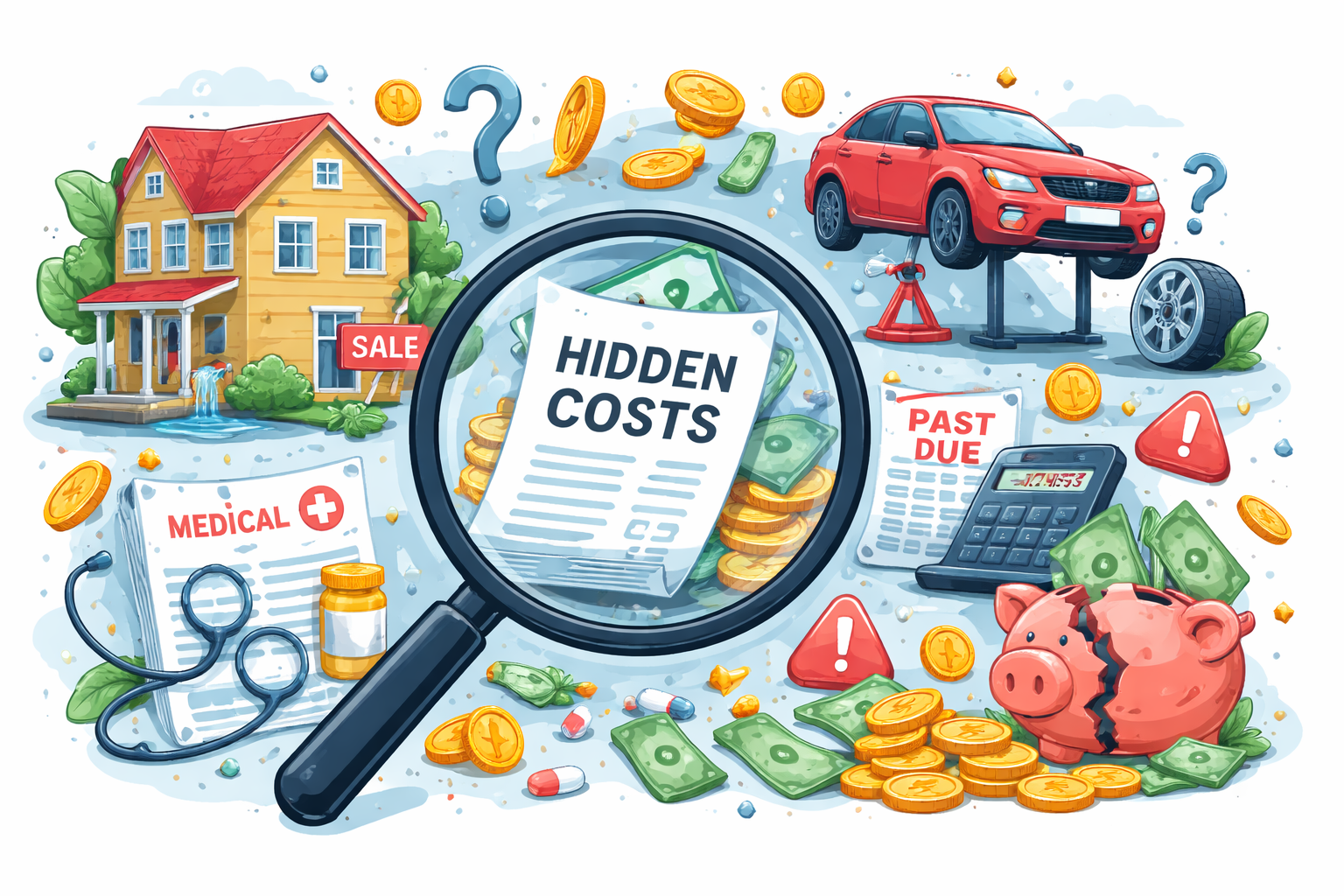
Running an app reliably requires cloud servers for hosting, storage, and processing power.
Costs vary based on user traffic, data storage, and computational needs.
Proper scaling ensures smooth performance even during high demand.
This forms the backbone of app reliability.
OTP (One-Time Password) gateways are used to send verification codes or transactional messages to users.
Charges depend on the volume of messages sent and the provider.
Reliable OTP delivery ensures user trust and smooth authentication processes.
Payment gateways handle online transactions via cards, UPI, or digital wallets.
Providers charge fees per transaction or as a monthly subscription.
These charges cover secure processing, fraud detection, and smooth money transfers for users.
To publish apps on Google Play or Apple App Store, developers must pay annual or one-time fees.
Subscriptions enable app updates, access to analytics, and compliance with store policies.
Maintaining these subscriptions is essential for app availability.
Continuous testing ensures that app features work correctly and bugs are resolved promptly.
This includes functional, performance, and usability testing.
Ongoing QA protects user experience and prevents issues from escalating post-launch.
Mobile OS updates frequently introduce new features and changes.
Ensuring app compatibility with the latest Android and iOS versions avoids crashes or broken functionality.
Regular updates are necessary to maintain smooth performance for all users.
Effective customer support requires platforms to manage queries, complaints, and feedback efficiently.
Tools like ticketing systems, chatbots, or CRM integrations help resolve issues quickly.
Strong support improves user satisfaction and retention.
Marketing and App Store Optimization (ASO) increase app visibility and downloads.
Costs include campaigns, ads, content, and optimization techniques.
Strategic marketing ensures the app reaches the right audience and achieves sustainable growth.
Apps are not one-time purchases. They are operating systems for your business.
8. What You’re Actually Paying For When You Build an App

Not code.
You’re paying for:
Product thinking emphasizes building features that truly solve user problems and provide meaningful value.
It focuses on understanding user needs, prioritizing features, and making design choices that align with long-term goals.
This approach ensures the app is relevant and impactful.
System design involves planning the architecture, data flows, and workflows of an app.
It ensures efficient operation, smooth integration of components, and reliability under different conditions.
Proper system design reduces future technical debt and maintenance challenges.
Risk reduction is about identifying potential problems early and implementing strategies to minimize them.
This includes thorough testing, fallback mechanisms, and careful planning of features.
Reducing risks protects both users and the business from costly failures.
Scalability ensures the app can handle increasing numbers of users, growing data, and higher traffic without performance issues.
Designing for scalability from the start avoids costly re-engineering later.
It enables sustainable growth and seamless user experiences.
User experience focuses on creating intuitive, enjoyable interactions that keep users engaged.
This includes smooth navigation, appealing design, and clear feedback.
Strong UX builds loyalty, encourages repeated use, and increases overall satisfaction.
Long-term reliability means building a robust system that performs consistently over time.
It involves writing maintainable code, implementing monitoring, and addressing issues proactively.
Reliable apps earn user trust and reduce ongoing support costs.
While writing code is crucial, most of an app’s success depends on planning, design, strategy, and user understanding.
Strong preparation ensures the app solves real problems, scales, and delivers value, making code the finishing touch rather than the sole determinant of success.
9. Conclusion:
The cheapest app almost always becomes the most expensive one.
The smartest clients I’ve worked with:
- Start small
- Design properly
- Budget realistically
- Choose partners, not vendors
A good app doesn’t begin with development.
It begins with decisions.
If you understand what shapes cost, you don’t get trapped by it.
10. How Much Does It Cost to Build an App in 2026?: FAQs
Most business apps cost between ₹1.5 lakh to ₹6 lakh, while complex platforms can go beyond ₹10 lakh depending on features and scalability.
Because scope, backend quality, security, testing, and long-term scalability vary widely between cheap builds and professional products.
Yes, by starting with a focused MVP that solves one core problem and expanding only after real users validate it.
You should plan for hosting, updates, bug fixes, third-party tools, and marketing to keep the app secure and growing.
A fair quote clearly defines features, backend scope, testing, and support rather than offering a vague low price.