How to reduce mobile app development costs
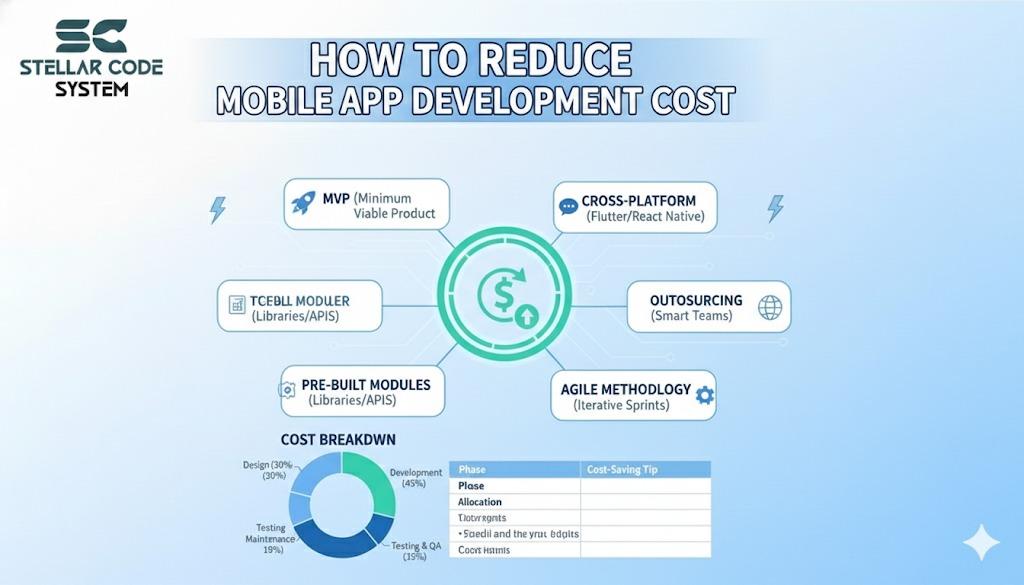
Building your first mobile app is exciting — and honestly, a little scary.
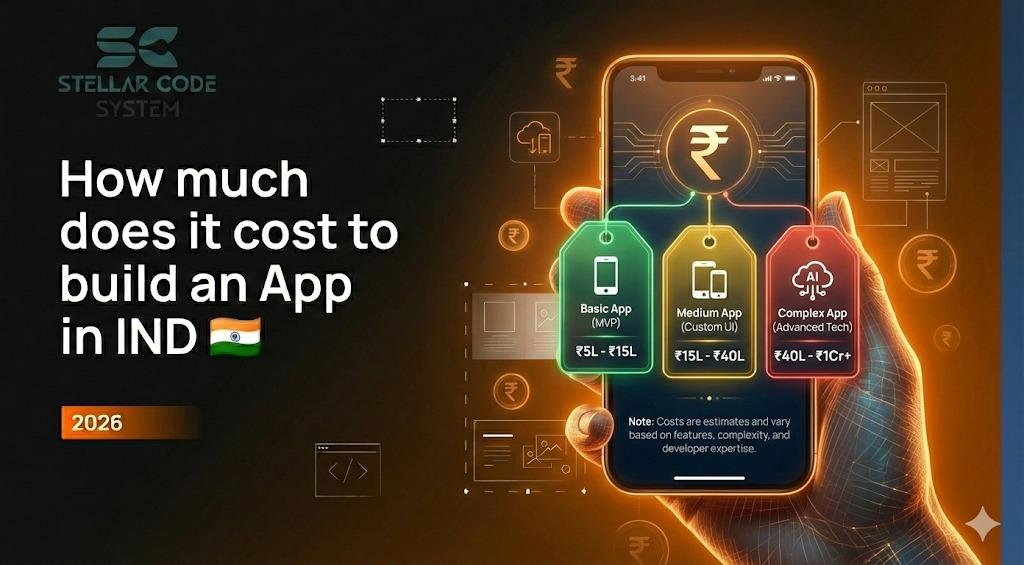
Most founders I speak to don’t start with a clear budget. They start with a problem they want to solve… and then get hit with wildly different quotes from development companies. One agency says ₹3 lakhs. Another says ₹30 lakhs. Both promise “scalable,” “high-quality,” and “future-ready.”
So what’s real?
After working closely with startups, eCommerce owners, and service businesses, one thing is clear:
👉 Mobile app development doesn’t have to be expensive — but it does have to be intentional.
The real cost of an app isn’t coding. It’s unclear thinking, wrong technical choices, and building too much, too early.
This guide breaks down how smart founders reduce mobile app development costs without sacrificing quality, security, or growth potential.
First: Understand What Actually Drives App Development Costs

Before trying to “cut” costs, you need to know what creates them.
From real projects, the biggest cost drivers are:
After working on real-world mobile app projects, certain patterns appear again and again. These cost drivers are responsible for budget overruns, delayed launches, and wasted development effort if not controlled early.
Unclear product scope and constant changes
When goals and features are not clearly defined, development turns into trial and error. Frequent changes force teams to rewrite code, redesign screens, and retest features, which rapidly increases both time and cost.
Complex features added too early
Building advanced features before validating the core idea leads to unnecessary development work. Many of these features go unused, but their design, coding, and testing significantly inflate the project budget.
Separate apps for Android and iOS
Developing two native apps means maintaining two codebases, two teams, and double the testing effort. This approach greatly increases initial development and long-term maintenance costs compared to cross-platform solutions.
Poor planning and rework
Without proper planning, teams often build features that don’t align with real user needs. Fixing architectural mistakes and rebuilding modules later costs far more than structuring the product correctly from the start.
Bug fixing after launch instead of during development
Post-launch bug fixing is expensive because issues are deeply embedded and affect real users. Continuous testing during development prevents costly emergency fixes, negative reviews, and lost customers.
Choosing teams based only on the lowest quote
Low-cost teams often cut corners in planning, security, and scalability. This leads to hidden costs in the form of rebuilds, performance issues, and long-term technical debt.
In simple words:
Apps become expensive when decisions are reactive instead of strategic.
Step 1: Define a Money-Focused App Goal (Not Just an Idea)
Most first-time app owners say:
“I want an app like Amazon / Swiggy / Uber.”
That mindset alone can multiply your cost by 5×.
Instead, start with business clarity:
We skipped complex carts, AI recommendations, and custom logistics.
Result: Development cost reduced by nearly 62%, launch time cut in half.
Clarity before coding is the cheapest optimization you’ll ever do.
Ask yourself:
Is this app meant to sell, automate, retain users, or validate an idea?
Defining the primary purpose of your app shapes every development decision. When the goal is clear, you avoid unnecessary features and focus spending only on what supports real business outcomes.
Who is paying through this app — customers, vendors, advertisers?
Understanding who generates revenue helps structure the right features, flows, and integrations. It also prevents investing in systems that don’t directly support your monetization model.
What is the one action users must take for this app to succeed?
Identifying the core success action keeps the product simple and cost-efficient. It ensures design and development are centered around a single, high-impact user behavior.
Real example
A local retail brand approached us wanting a “full eCommerce app.”
After workshops, we realised they only needed:
Product catalogue
A simple product catalogue allows users to browse items, view details, and check availability without heavy system complexity. It forms the foundation of an eCommerce app while keeping development time and costs under control.
WhatsApp checkout
WhatsApp checkout simplifies the buying process by moving orders directly into chat, eliminating the need for complex cart and payment systems. This reduces development cost while increasing user trust and conversion rates.
Loyalty system
A loyalty system encourages repeat purchases through points, rewards, or exclusive offers. It increases customer retention without requiring expensive acquisition or advanced feature development.
Step 2: Build an MVP That Solves One Pain — Not Ten
Trying to build a “complete app” is the fastest way to burn money.
A cost-efficient app starts as an MVP (Minimum Viable Product): A version that solves the core problem, proves demand, and creates learning.
Your MVP should answer only three questions:
1. Will users actually use this?
This question validates whether your app solves a real problem worth returning for. Early usage data shows if your idea has genuine demand or needs repositioning before further investment.
2. Will they pay or engage?
Engagement and payment behavior reveal if your app delivers real value. This step confirms whether users are willing to spend money, time, or attention on what you’ve built.
3. What should we improve next?
User feedback and behavior highlight what truly matters. This insight ensures future development focuses only on features that increase growth, retention, and revenue.
What most founders get wrong
They invest heavily in:
Rarely used features
Building features without validating demand leads to wasted development effort. Many of these functions add complexity, maintenance cost, and testing work while delivering little real user value.
Admin systems no one tested
Creating complex admin panels before understanding operational needs results in bloated systems. Untested back-office tools frequently require expensive rebuilds once real workflows emerge.
Scalability for users they don’t yet have
Engineering for massive scale too early increases infrastructure and development costs. It is more cost-effective to build lean, validate traction, and scale only when growth demands it.
What smart founders do
They launch with:
Smart founders focus on speed, clarity, and validation instead of perfection. Their first release is designed to test the market, control costs, and generate real user feedback quickly.
Essential screens only
Only the most critical screens are built to support the core user action. This reduces design and development time while keeping the product focused and easy to improve.
Manual processes behind the scenes
Early operations are often handled manually to avoid expensive system development. This allows teams to validate workflows before investing in full automation.
Simple integrations
Instead of building everything from scratch, reliable third-party tools are used for payments, messaging, and authentication. This shortens timelines, lowers costs, and improves system stability.
Analytics over aesthetics
Data tracking is prioritized over visual polish in the early stage. Understanding user behavior guides smarter updates and prevents money being wasted on guesswork.
This approach alone can reduce your initial development budget by 40–70%.
Step 3: Choose the Right Technology (This Decision Locks Your Budget)
One of the biggest money decisions is whether you build:
Separate native apps (Android + iOS)
Building native apps means creating and maintaining two independent codebases. While powerful, this approach significantly increases development time, team size, and long-term maintenance costs.
A shared cross-platform application
Cross-platform development uses a single codebase to run on both Android and iOS. This reduces build time, lowers overall costs, and makes updates and feature releases much easier to manage.
For most early-stage and mid-size businesses, cross-platform development is the cost-intelligent choice.
Using frameworks like:
Flutter
Flutter is a Google-backed framework that allows developers to build high-performance apps from a single codebase. It offers fast development cycles, expressive UI, and strong support for both Android and iOS.
React Native
React Native enables cross-platform app development using JavaScript and React. It reduces development costs by sharing code across platforms while still delivering near-native performance and flexibility.
You get:
One codebase for both platforms
A single shared codebase runs on both Android and iOS, eliminating duplicate development work. This significantly reduces build time, coordination effort, and overall project cost.
Faster development cycles
Features can be developed, tested, and launched simultaneously across platforms. This speeds up time-to-market and allows businesses to validate ideas much earlier.
Easier maintenance
Bug fixes and updates are applied once instead of separately for each platform. This simplifies long-term support and reduces dependency on large development teams.
Lower long-term costs
With reduced development, testing, and maintenance overhead, cross-platform apps are more economical over time. Businesses save continuously as the product evolves.
Native development is powerful — but it only makes financial sense when:
You’re building performance-critical systems
Native development makes sense when your app requires heavy graphics, real-time processing, or deep hardware access. These use cases benefit from maximum performance and low-level system control.
You already have strong product-market fit
Once user demand is proven and revenue is stable, investing in native apps becomes more practical. At this stage, optimization and long-term scalability justify the higher development cost.
You can support two parallel codebases
Managing separate Android and iOS apps requires larger teams and ongoing investment. This approach is suitable only when you have the technical and financial capacity to maintain both platforms effectively.
In over 70% of commercial projects, cross-platform apps deliver the best ROI.
Step 4: Reduce Features by Designing Smarter User Flows
A mistake I see constantly:
More screens = more cost.
Every extra screen impacts:
Design hours
Every additional screen increases UI/UX planning, wireframing, and visual design work. More design hours directly translate into higher upfront development costs.
Development time
More screens and features require extra coding, integration, and revisions. As development time grows, project budgets and delivery timelines expand with it.
Testing effort
Each new function must be tested across devices, operating systems, and user scenarios. Increased testing effort raises QA costs and lengthens release cycles.
Bug surface area
The more features you add, the more potential failure points your app creates. A larger bug surface area means higher risk, more maintenance, and increased long-term support expenses.
By mapping proper user journeys, many functions can be:
Good UX doesn’t add features. It removes unnecessary ones.
Combined into fewer screens
Multiple functions can often be merged into a single, well-designed interface. This reduces UI complexity, speeds up development, and lowers overall app costs.
Automated instead of built
Some workflows don’t need full custom features and can be automated using simple logic or third-party services. This avoids unnecessary development while still delivering the required functionality.
Shifted to backend dashboards
User-facing features can sometimes be managed more efficiently through admin panels. Moving complexity to the backend keeps the app lighter and cheaper to build.
Handled through existing tools
Payments, notifications, and analytics can often be managed using proven external platforms. Leveraging existing tools saves time, reduces risk, and cuts development expenses.
Real case
An eCommerce startup planned 18 user screens.
After user-flow optimization workshops, we reduced it to 9 screens.
Same functionality.
Half the design and development cost.
Lower long-term maintenance.
Design thinking saves more money than cheap developers ever will.
Step 5: Test Continuously (Fixing Later Is Always More Expensive)
Many founders try to “save money” by reducing testing.
In reality, late testing is one of the most expensive decisions in app development.
Because:
On real user scenarios
Every rupee spent on early testing saves several rupees in post-launch repairs.
Bugs become deeply rooted
When issues aren’t caught early, they get embedded across multiple features. Removing them later requires major rework, increasing both time and development cost.
Features break each other
Late testing often reveals that new functions interfere with existing ones. Fixing these conflicts becomes more complex and expensive as the system grows.
Fixes cause new problems
Rushed post-build fixes frequently create unexpected side effects. This cycle of patching increases instability, testing effort, and ongoing maintenance expenses.
Launch delays multiply costs
Each delay adds more development, management, and infrastructure costs. Missed launch windows can also mean lost users, revenue, and market advantage.
Continuous testing allows:
Early bug removal
Catching issues during development prevents them from spreading into critical areas. This saves time, reduces cost, and avoids post-launch emergencies.
Cleaner architecture
Well-structured code from the start makes the app easier to update and scale. Cleaner architecture reduces long-term maintenance and development complexity.
Faster development
Continuous testing ensures features are stable from the beginning. This accelerates development cycles and allows quicker releases to users.
Fewer rebuilds
Addressing problems early minimizes the need to redo code or redesign screens. Fewer rebuilds save both budget and launch time.
High-quality teams test:
After each module
Testing after completing each module ensures issues are identified immediately. This prevents small bugs from growing into costly system-wide problems.
After each sprint
Evaluating the app at the end of every sprint keeps development aligned with goals. Regular reviews reduce rework and keep timelines and budgets under control.
On multiple devices
Checking functionality across devices and screen sizes ensures consistent performance for all users. This reduces post-launch complaints and expensive bug fixes.
Step 6: Use Iterative Development Instead of “One Big Launch”
Successful apps are not built. They are grown.
Instead of paying for a massive first version:
Break your product into:
Version 1 – Validate
Launch a minimal version to test core functionality and market demand. Early validation ensures you invest only in features that users actually need.
Version 2 – Improve
Based on user feedback, refine features, fix bugs, and enhance usability. Iterative improvements increase engagement without overbuilding from the start.
Version 3 – Scale
Once the product is validated and optimized, expand features and infrastructure. Scaling at the right time maximizes ROI while controlling development costs.
Each release should be guided by:
User behavior
Drop-off points
Identifying where users abandon the app helps prioritize fixes and improvements. Reducing drop-offs increases engagement and protects your development investment.
Revenue signals
Tracking actions that generate revenue shows which features drive value. This guides development toward areas that maximize ROI and customer retention.
Support requests
Analyzing user support queries highlights usability gaps and feature issues. Addressing them early prevents repeated fixes and reduces long-term maintenance costs.
This prevents you from funding features nobody actually wants.
It also spreads investment over time, improves cash flow, and reduces risk.
Step 7: Outsource Strategically — Not Cheaply
Outsourcing works when it’s done intentionally.
It fails when businesses chase the lowest hourly rate.
A cost-efficient outsourcing partner:
Questions your feature list
A good development team evaluates which features are truly necessary. This avoids overbuilding and reduces unnecessary costs.
Challenges your assumptions
Experienced developers push back on ideas that may not work in practice. This prevents expensive mistakes before coding even begins.
Suggests simpler architectures
Simpler, well-planned system designs save time, reduce bugs, and lower long-term maintenance expenses. Efficient architecture is a key cost-saving strategy.
Talks about long-term maintenance
Teams that plan for the future prevent technical debt and repeated rebuilds. Considering maintenance upfront reduces hidden costs over the app’s lifecycle.
Cares about business outcomes
A development partner focused on your business goals ensures that every feature adds value. This alignment maximizes ROI and prevents spending on unnecessary functionality.
A risky outsourcing partner:
Says yes to everything
Teams that agree to every request often build unnecessary features. This inflates development time, costs, and complexity without adding real value.
Focuses only on coding
A team that codes without strategic guidance may deliver a product that doesn’t solve real business problems. Lack of planning leads to rework and wasted investment.
Avoids planning
Skipping proper planning results in unclear requirements and frequent revisions. This causes budget overruns, delays, and frustrated stakeholders.
Underquotes then overcharges
Low initial quotes can be misleading, with hidden costs added later. This practice increases total expenses and often compromises quality.
Disappears after delivery
The cheapest app is rarely the least expensive app.
The right team reduces:
Rebuilds
Frequent code rewrites waste time and inflate budgets. Minimizing rebuilds through careful planning keeps projects on schedule and within cost.
Security issues
Poorly built apps are vulnerable to hacks and data breaches. Addressing security early prevents costly fixes, reputational damage, and legal consequences.
Scalability failures
Apps that can’t handle growth require expensive infrastructure and code redesigns. Planning for scalable architecture reduces future technical and financial risks.
Hidden technical debt
Quick fixes and shortcuts create long-term maintenance burdens. Managing technical debt early ensures smoother updates, lower costs, and more reliable performance.
Which is where real money is lost.
Extra Areas Most Articles Ignore (But Cost You Heavily)

1. Backend simplicity
Over-engineering databases and admin panels silently increases:
- Development time
- Hosting bills
- Debugging cost
Start lean. Expand only when metrics demand it.
2. Third-party services vs custom development
Payments, notifications, authentication, analytics — these do not need reinvention.
Using reliable services saves:
Months of development
Building core systems from scratch can add months to your development timeline. Using proven third-party services accelerates launch and dramatically lowers upfront costs.
Large testing budgets
Custom-built modules require extensive testing across devices, security layers, and edge cases. Established platforms come pre-tested, reducing QA effort and overall project spend.
Compliance risks
Payments, authentication, and data handling involve strict regulatory standards. Leveraging compliant services minimizes legal exposure and avoids costly security and policy mistakes.
Custom code is powerful.But unnecessary custom code is expensive.
3. Post-launch cost planning
App cost doesn’t stop at launch.
Budget early for:
Updates
Regular updates keep the app stable, compatible, and aligned with user expectations. Planning for ongoing updates prevents sudden costs and protects long-term product value.
Security patches
Security patches fix vulnerabilities and protect user data from emerging threats. Ignoring them can lead to expensive breaches, legal risks, and loss of customer trust.
OS changes
Android and iOS updates often affect app performance and compatibility. Preparing for OS changes avoids emergency fixes, store rejections, and unexpected redevelopment costs.
Feature evolution
As user needs change, features must be refined, expanded, or removed. A planned feature evolution strategy ensures growth happens without bloating development budgets.
User support
Projects that fail financially are rarely coding failures.They are maintenance failures.
Conclusion
After watching dozens of mobile products succeed and fail, one truth stands out:
👉 The biggest cost in app development is building the wrong thing.
Not hourly rates.
Not frameworks.
Not countries.
Clear goals, lean execution, and experienced guidance reduce costs more than any “cheap development” promise ever can.
If you treat your app like a business system — not a software project — you naturally spend less, build faster, and grow stronger.
And that’s how smart founders win.
About the Author
Paras Dabhi
VerifiedFull-Stack Developer (Python/Django, React, Node.js) · Stellar Code System
Hi, I’m Paras Dabhi. I build scalable web applications and SaaS products with Django REST, React/Next.js, and Node.js. I focus on clean architecture, performance, and production-ready delivery with modern UI/UX.

Paras Dabhi
Stellar Code System
Building scalable CRM & SaaS products
Clean architecture · Performance · UI/UX